Service pack 1 will give alot of important stuff to the System Center 2012 family, for instance Windows 8(2012) support for Sccm and Scom. Also backup for de-duplication volumes will be supported in DPM.
Maybe the most exciting news for some people will be the support in SCCM for Mac OS and Linux and Unix servers.
For more info you can go here:
About Me

- Olav Tvedt
- Bergen, Norway
- 19th times Microsoft MVP (Security and Windows). IT-Dude @SpareBankenNorge
Friday, June 22, 2012
Thursday, June 21, 2012
Infrastructure Planning and Design Guide for System Center 2012 - Virtual Machine Manager
It have taken some time, but it now looks like the IPD guide for System Center will start to arrive (in beta versions first). First one out are Scvmm (Well the System Center Service Manager have been there for a while)
The Infrastructure Planning and Design (IPD) Guides are documents writen by Microsoft to help, like the name says, plan and design implementation of technologies and solutions.
You will fing IPD on the following technologies:
The IPD site are located here
The Infrastructure Planning and Design (IPD) Guides are documents writen by Microsoft to help, like the name says, plan and design implementation of technologies and solutions.
You will fing IPD on the following technologies:
The IPD site are located here


Wednesday, June 20, 2012
My TechED Europe session on Springboard
I am holding a session at TechED Europe on the Springboard site and how you can find information and tools there.

There will be lots of demo's and great information about session to attend at TechED Europe this year. Thats the great thing with having a sessions on the first day, you can recommend other sessions.

Session is in Hall 10A on Tue, Jun 26 1:30 PM - 2:15 PM
There will be lots of demo's and great information about session to attend at TechED Europe this year. Thats the great thing with having a sessions on the first day, you can recommend other sessions.
Monday, June 4, 2012
Free Windows Server 2012 ebook
The next big thing, now that System Center family are here are without doubt the next version of Windows Server. And with the newly released "Release Candidate" it's coming fast.
So it's time to start learn whats new and why should you care about the next version. Jumping around on the internet and reading differnt blog post are time consuming and you never seems to get the debt of information, just what people think and have heard. Mitch Tulloch have teamed up with Microsofts server team to be able to give us what we need.

Graphical way of finding Windows 8 information
On Microsoft's msleap365.com learning page there have now been published a very nice page called "Windows 8 Early Content"

The page are a graphical way of finding information about Windows 8, it's devided into sections:

The page are a graphical way of finding information about Windows 8, it's devided into sections:
Introduction
Developing Fundamentals
Developing Metro Applications
Advanced Development of Metro Apps
Hardware
Management
Networking
Security
Developing Fundamentals
Developing Metro Applications
Advanced Development of Metro Apps
Hardware
Management
Networking
Security
Thursday, May 31, 2012
Windows Server 2012 Release Candidate Ready For Download
You can download either an ISO file or an VHD file. Cool that you can download a ready made VHD and just import it into Hyper-V and test it.
The Windows 8 Release Preview are also ready
First Server are now up and running
The Windows 8 Release Preview are also ready
First Server are now up and running
Tuesday, May 29, 2012
Remote Desktop Services Shortcut Keys
Working with servers today are in most cases done by using RDP (Remote Desktop Protocol), and it's nice to not have to sit in a cold noisy server room like us old school it-duds did back in the days.
But one of the tradeoffs with working remote is that the keyboard "behaves" different in some scenarios.
Shortcuts are easy when sitting on the physical box and working, but can we use them in a RDP session?
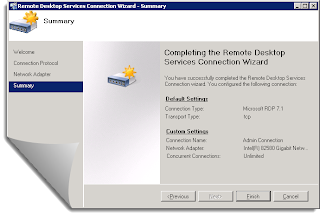
But one of the tradeoffs with working remote is that the keyboard "behaves" different in some scenarios.
Shortcuts are easy when sitting on the physical box and working, but can we use them in a RDP session?

Subscribe to:
Posts (Atom)
-
 Working with mobile device management (MDM) require a lot of testing. With Windows 10 testing is no problem (except those things that demand...
 -
 I found myself in the situation that I needed to get the Windows key out from the ACPI in the UEFI bios and preferable get to use it in a ta...
 -
 Felt a bit stupid today (again). Have been struggling with some Microsoft Surface Go devices. Love the device but, when they are shipped wit...